
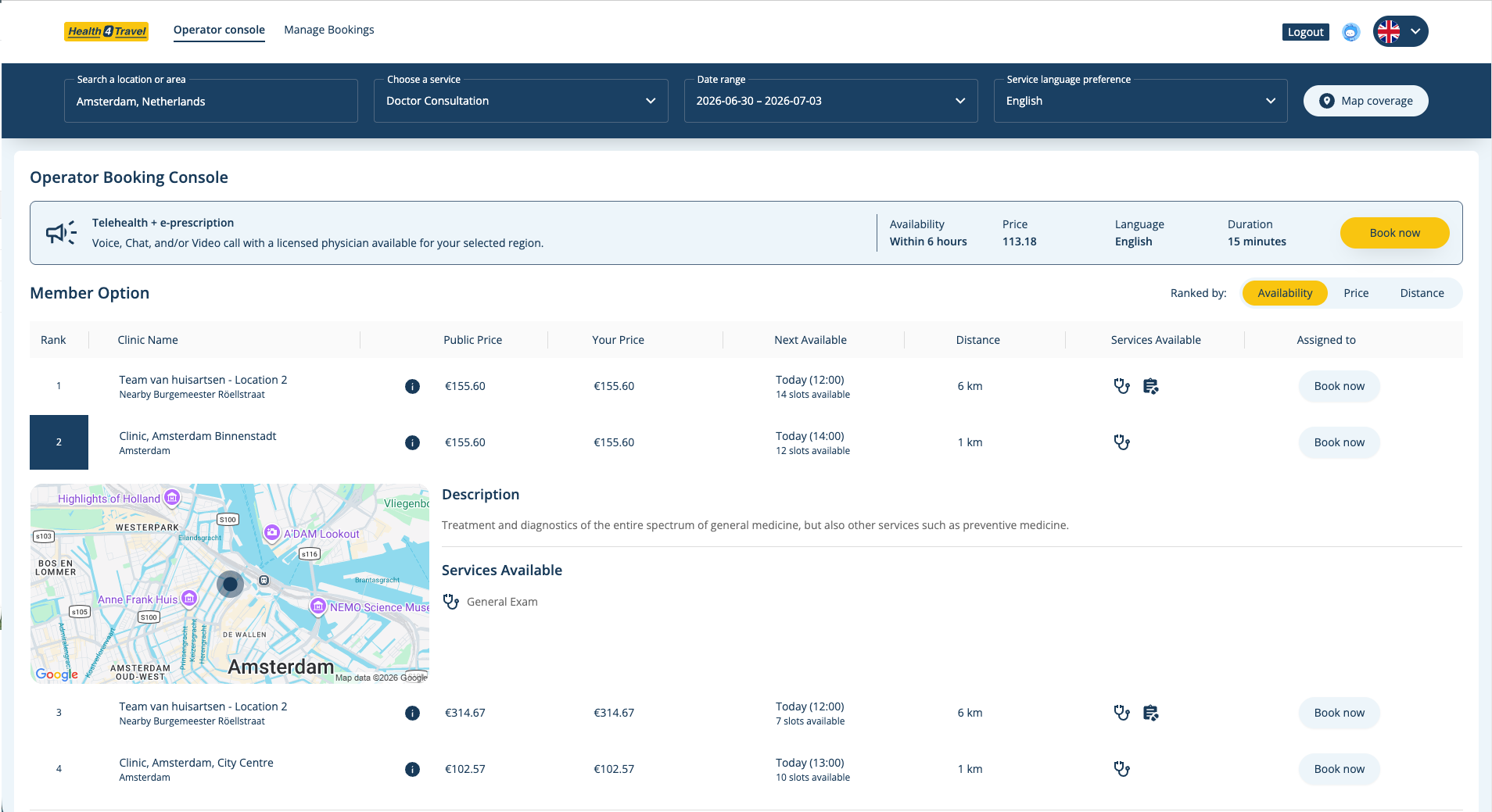
Assistance teams and insurers coordinate outpatient care for travellers in unfamiliar cities every day. Traditionally that means calls and emails: finding a provider in the right language, checking same-day availability, confirming pricing, coordinating the appointment. The new Health4Travel Agent Dashboard moves that work into one structured digital workflow.
Why we built a new Agent Dashboard
Outpatient cases — a GP visit, a dentist, a specialist consult — are the majority of everyday travel healthcare interactions. Emergencies stay with local emergency services and existing assistance protocols. Everything else has typically lived in inboxes, spreadsheets and phone queues.
The Agent Dashboard focuses on that everyday layer, giving assistance agents a clearer way to coordinate outpatient care so members don't have to navigate a foreign healthcare system on their own.
Search availability across the network
Every case starts from one search. Agents enter:
- Location and preferred service language
- Service type (GP, dentist, specialist, telehealth)
- Date range for the appointment
The dashboard returns matching providers from the Health4Travel network alongside any own-network providers the assistance team has configured. Where providers share bookable availability, agents see it directly in the list.
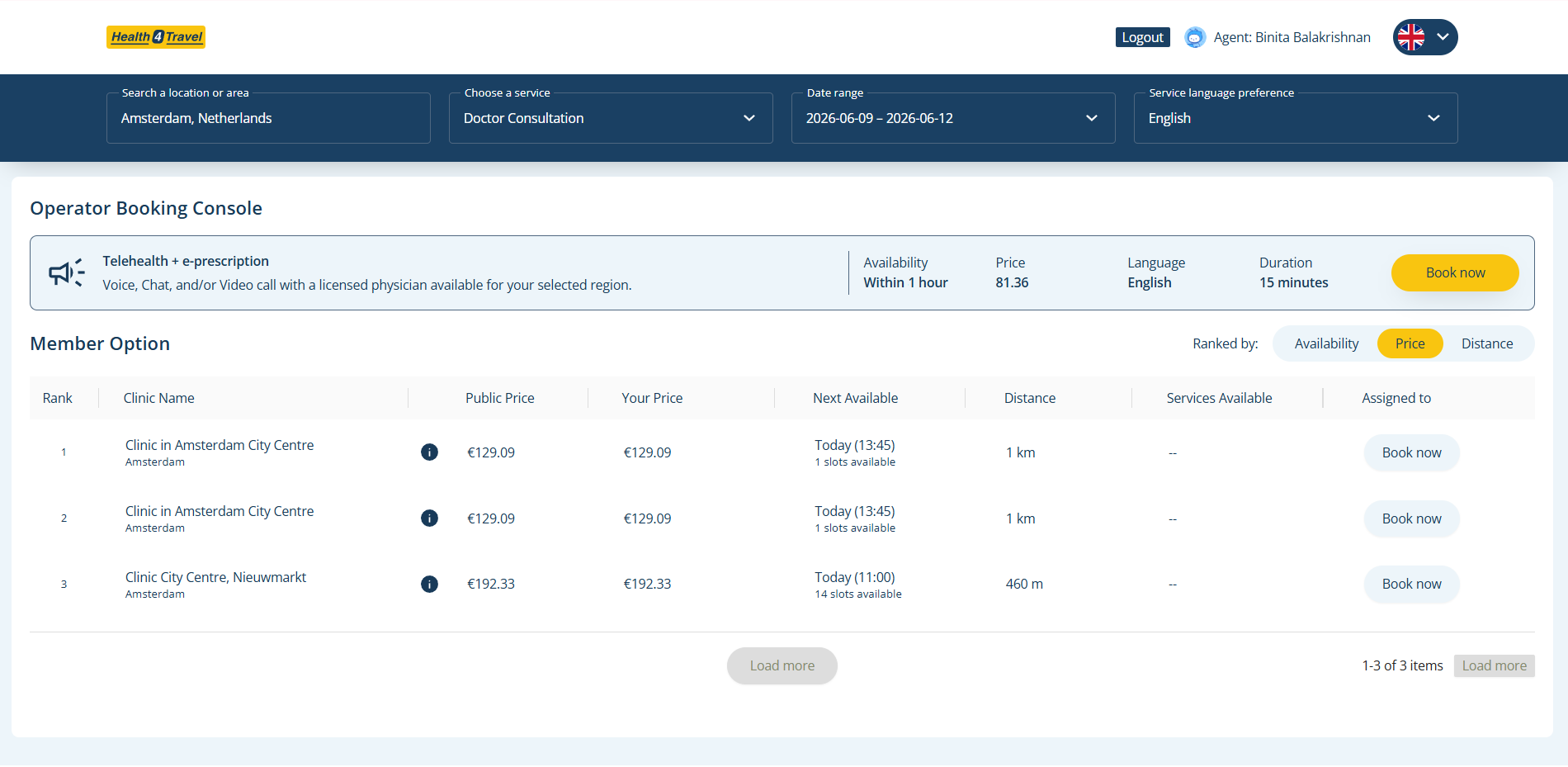
Compare providers side by side
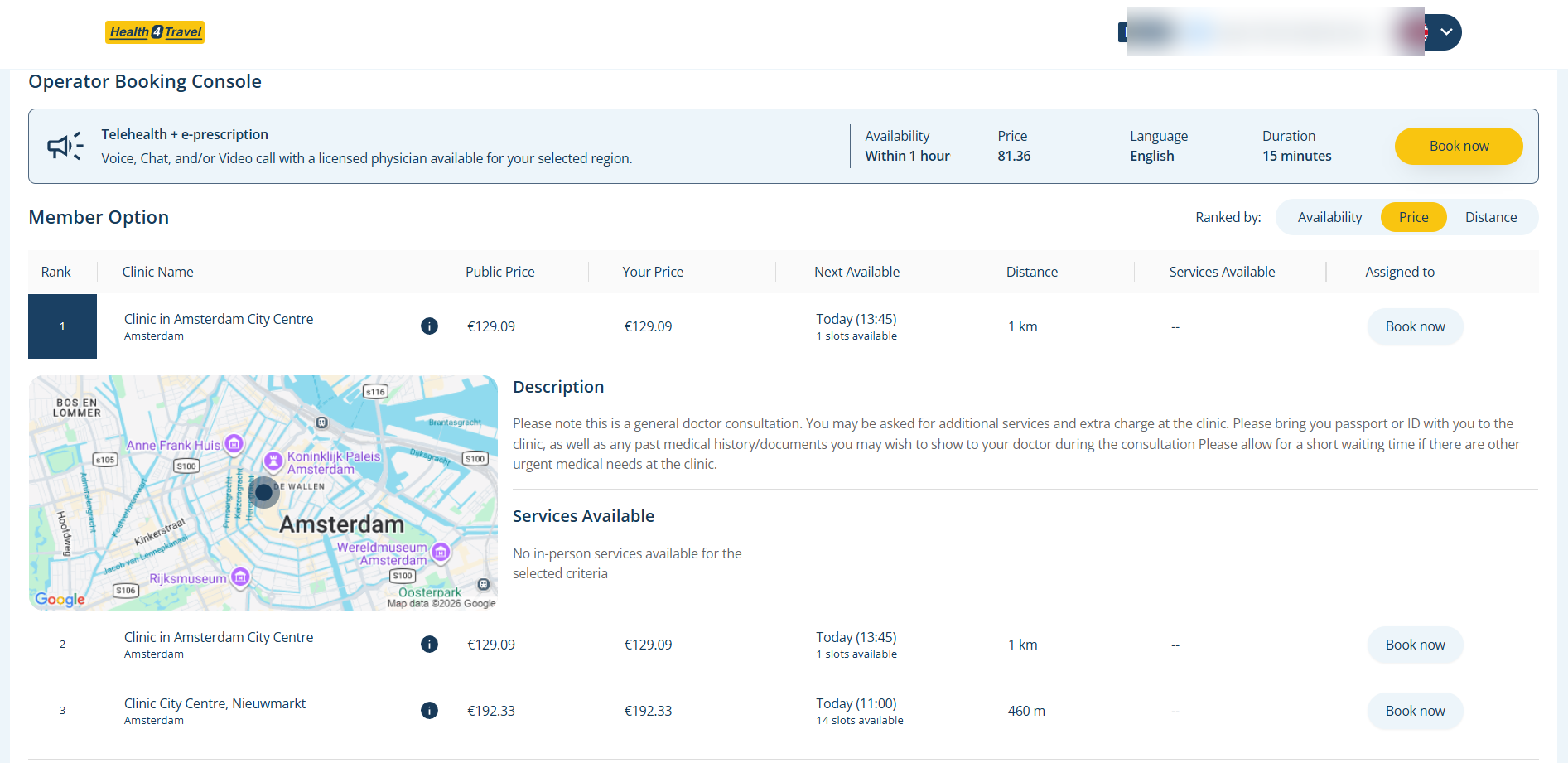
Selecting a result opens a detail view with description, services offered and a map of the provider's location. Agents can switch ranking between availability, price and distance to narrow options for the member in a few clicks.
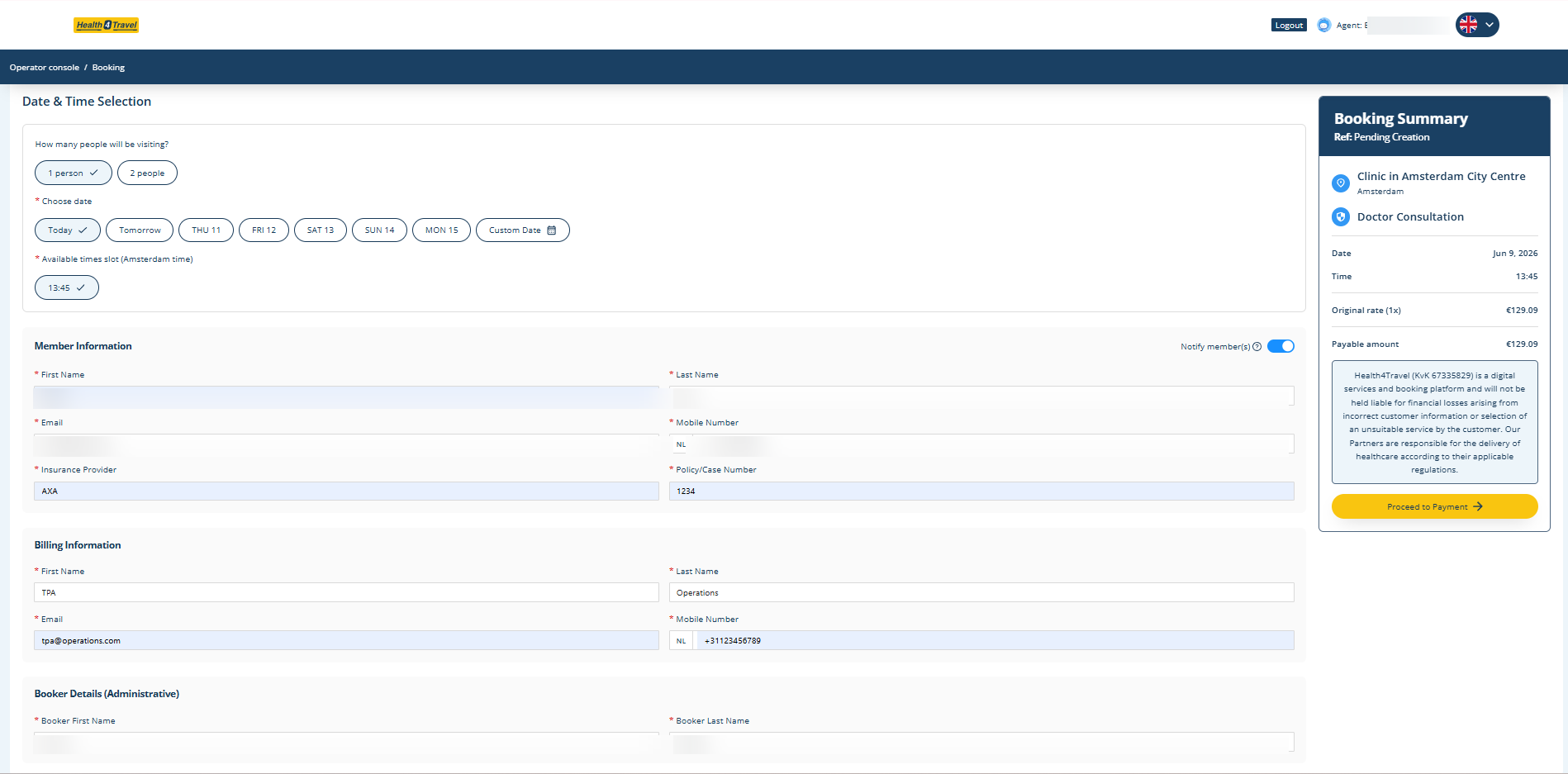
Guide the case through booking
Once a provider is chosen, the booking view captures member and booker details plus billing information in a structured form. The booking summary and documentation stay attached to the case, so any teammate can pick it up later without re-asking the member the same questions.
Practical use cases
Non-urgent GP visit
A member needs a general consultation for a minor issue. The agent searches "Doctor Consultation" in the member's city, filters by language and picks a provider with visible same-day availability.
Dental or specialist follow-up
A traveller needs a specific service — dentistry, dermatology, gynaecology — during a longer trip. The agent narrows the list to providers offering that service and shares the appointment details with the member and the provider.
Insurer-driven case coordination
For insured travellers, the agent handles search, comparison and booking on behalf of the member. The structured record supports downstream documentation and internal reporting.
Hybrid own-network setups
Assistance teams with an existing provider network can coordinate those relationships in the same workflow, keeping their network and Health4Travel's network side by side.
What the Agent Dashboard is not
- It is not a diagnostic or triage tool and does not provide medical advice.
- It is not a replacement for emergency services. In an emergency, members should call the local emergency number.
- It does not guarantee appointment availability, clinical outcomes or reimbursement — those depend on the provider and the member's insurance policy.
The goal is straightforward: give assistance teams a faster, clearer way to coordinate outpatient care so members abroad reach a suitable provider with less friction.